
Overview
Seasons greetings, everyone! We hope you are fairing well in these cold, dark winter months.
In this report, I’ll go over what happened at Print My Blog in October and November.
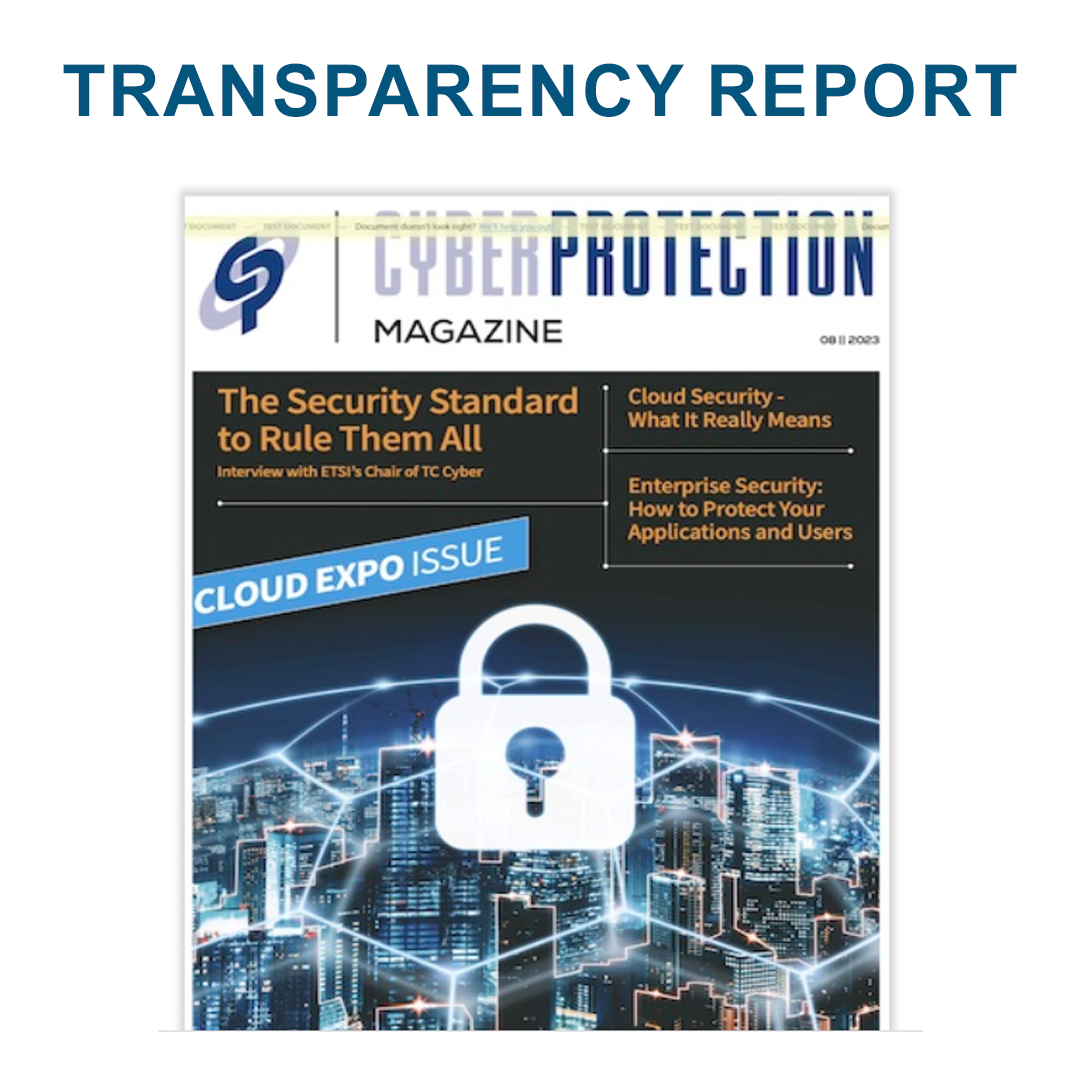
Spotlight: Cyber Protection Magazine
This report, we are proud to spotlight another Business Plan Customer, Cyber Protection Magazine!
This online magazine covers the world of cyber security news, and makes it accessible to non-technical business leaders who want to stay up to speed with latest trends.
Editors Patrick Boch and Lou Covey take the highly technical and important subject of Cyber Security and break it down with simple explanations and articles that anyone can understand. Their mission is to help small and medium sized businesses keep up with the rapid advancements in the Cyber Security Industry, so that they can stay protected.
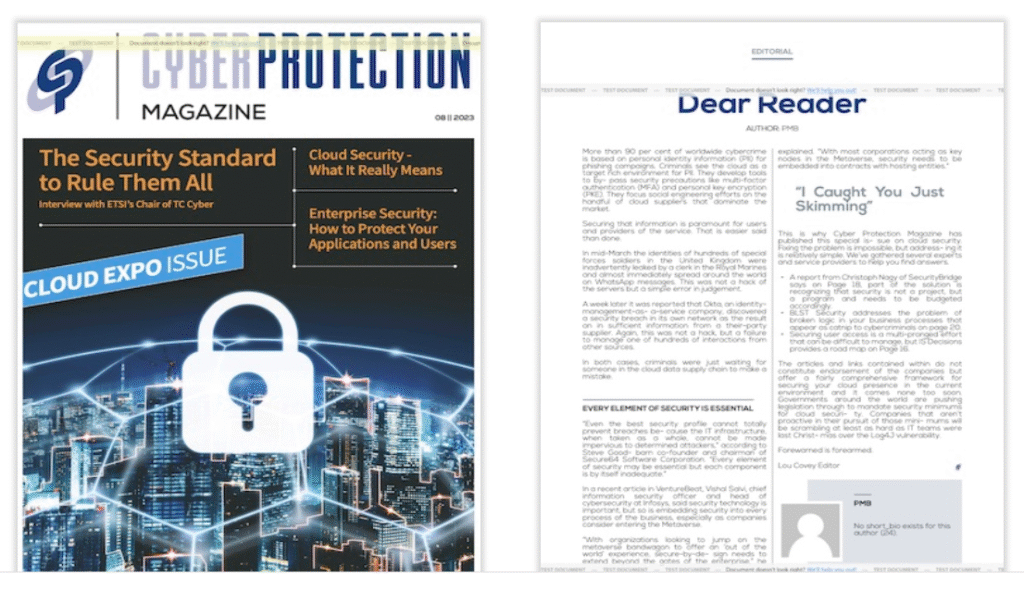
To help in this effort, Cyber Protection Magazine uses Print My Blog’s plugin to consolidate their articles into magazine format using a custom Print My Blog design we produced for them. They have even been generous enough to share this design with others, so you can download it yourself from GitHub to try it out with your own project.
Thank you Cyber Protection Magazine! We’re proud to be part of your mission!
What happened
New Reviews!
We received two new 5 Star reviews this period!
First was this review by CatzEyes:
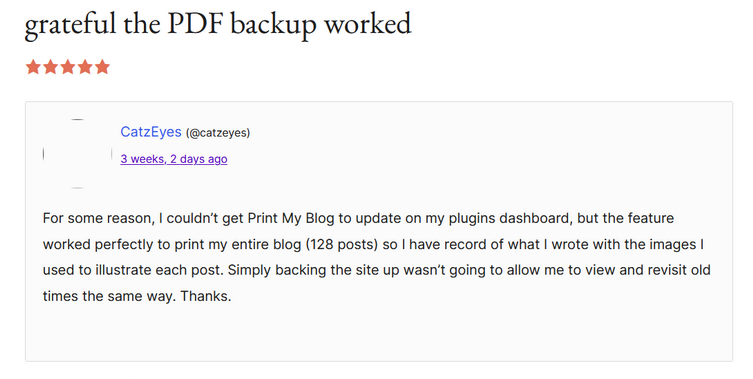
Thank you, CatzEyes! I’m glad to hear that Print My Blog worked perfectly for helping you print your 128 post blog! As I mentioned in my reply to your review, if you would like support for issues like having trouble updating, then please post in our WordPress Support Forum, or contact us at please@printmy.blog and we would be happy to assist you. You can also send us your debug information as described in our User Guide. We try our best to assist all users, including people who are using the free version of our plugin, so if you need anything at all please reach out to us.
Next, we have a review from a German user, msteigy:
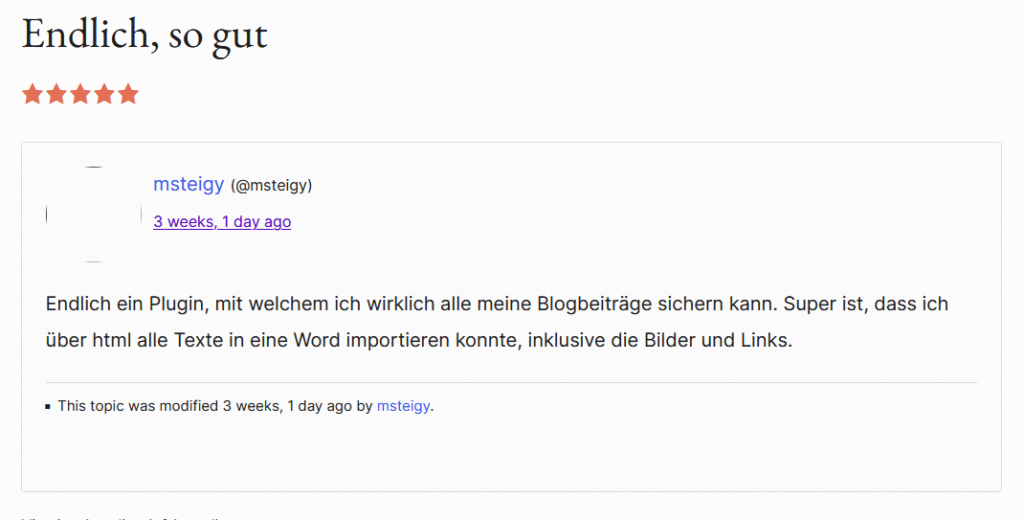
Their review translates to: “Finally, a plugin that lets me back up all my blog posts! It’s great that I could import all the text into a Word document via HTML, including the images and links.”
Wow! Thank you Msteigy!
As Msteigy points out, Print My Blog’s Professional Plan includes the ability to export your WordPress blog into a Word Document. To learn more about that, I recommend checking out this article by Michael Nelson, the creator of Print My Blog: How to Make Word Documents in WordPress.
Freemius Stats
October and November are historically slow periods for Print My Blog, and this year was unfortunately no different. One important thing about transparency though is sharing the bad with the good.
The following two images show the overall numbers for October and November compared against the previous year.
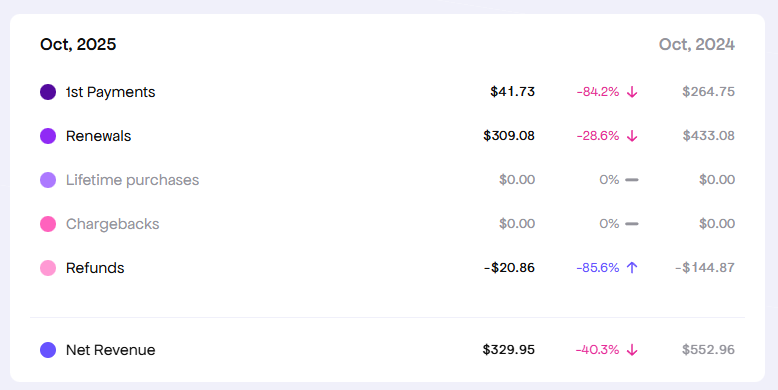
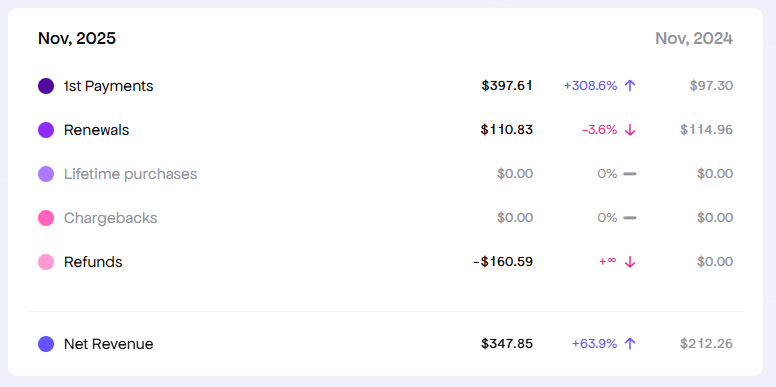
As you can see from the figures, our Net Revenue for October was down 40.3% compared to the previous year, while our Net Revenue for November was up 63.9% compared to the previous year. With July, this makes October one of only two months this year-to-date with lower revenue compared to the previous year.
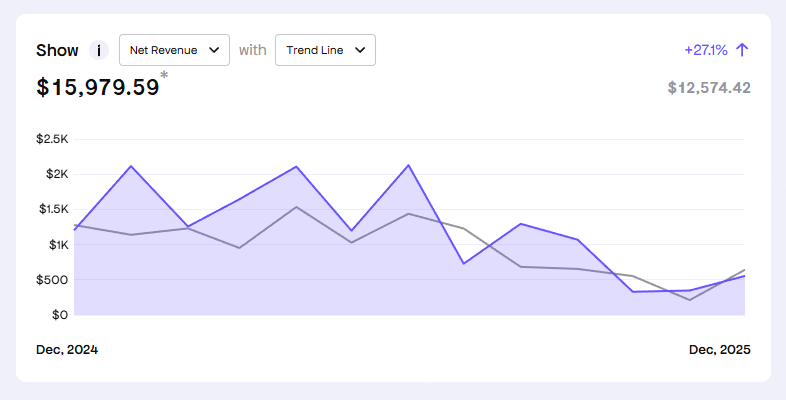
As seen in the graph below, our overall Net Revenue is up 27.1% compared to the previous year. So, I don’t think we need to be too disheartened by one low performing month.
Newsletter
Next, let’s take a look at our stats from the previous newsletter mailing. For reference, I will compare the numbers to the previous newsletter.
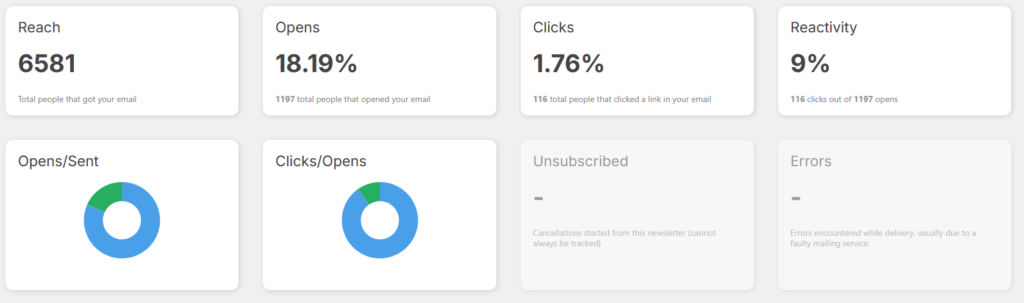
Here are the numbers for our Transparency Report 57 mailing:
Here are the numbers for our Transparency Report 56 mailing:
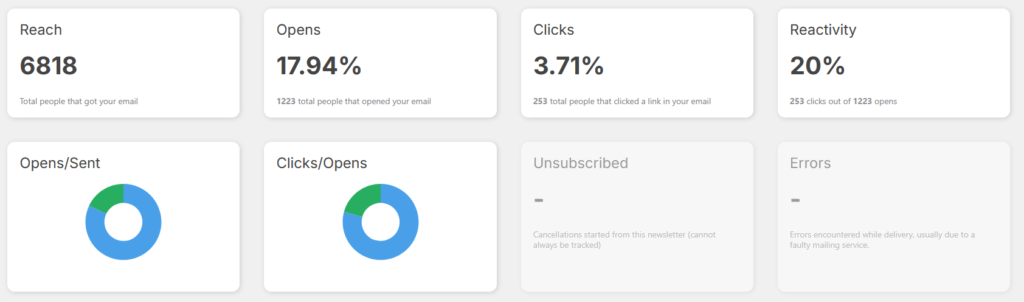
The difference in reach reflects the number of people that were removed from our mailing list after an unsubscription or a bounced email. These statistics are provided by the Newsletter plugin we use for our mailings. While we have processed some users that have unsubscribed, it seems that the plugin is not tracking those numbers properly.
You will also notice that the open rate is a little higher while the click through and reactivity rates are both lower. I think the change in open rate is likely because bounced emails have been pruned from our list, while the click and reactivity rates are lower because Transparency Report 56 was our first mailing in a long time.
Tip of the Day: Do not share your Logins!
Since we are spotlighting Cyber Protection Magazine this report, I want to give some simple but important cyber security advice.
I often handle technical support for Print My Blog, and one thing that occurs from time to time is that a user will share their login credentials without me asking for them.
While I am honoured that you would trust us with such sensitive information, please do not do this!
The main reason is that you should never share your login credentials with anyone. The second reason to avoid doing this by email is that email is often a very insecure way to share sensitive information (just think about how many email leak scandals are in the news!), and if either you or the recipient get hacked, those credentials will just be sitting in your email history ready for anyone to read!
If you need to share WordPress credentials with someone, you can create a user with limited permissions and a temporary password, or set up a staging site for them. If for some reason you really need to share some sensitive information with someone, you can use a service like One Time Secret to share it in a more secure way.
The third reason why we cannot log into your website and fix something for you, is that for liability reasons, we are only able to provide that kind of hands-on service to Business Plan customers. So, if you ever need someone to setup your Print My Blog integration for you, we recommend our Business Plan subscription because it pairs you with a dedicated team member, who will work with you to handle all your Print My Blog integration and design needs in a secure way.
I hope this advice is useful to you!
Closing
Thank you for reading, and Happy December! We hope you enjoyed a look into our world as the developers of Print My Blog. Please let us know if you have any feedback or requests, or if you have a project you’d like to share in our next newsletter!
Coupon Code
Last but not least, if you made it all the way here and are interested in trying Print My Blog’s premium features, use the coupon code “printmyblogplease” at checkout to get 10% off!